
What Is a Custom Module in Odoo? When Businesses Need It and Key Things to Consider
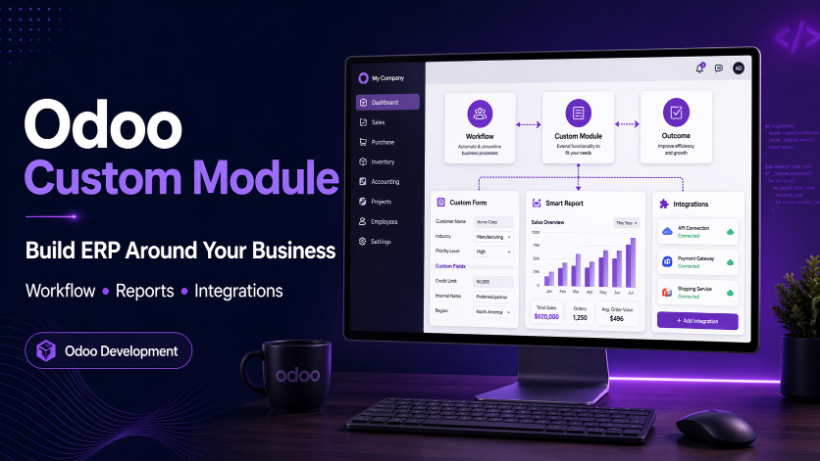
A custom module in Odoo helps businesses extend ERP features, optimize workflows, and integrate external systems more effectively. Learn when to use it, how it is developed, and what to watch out for
Odoo is a powerful open-source ERP system that offers a wide range of built-in applications for sales, accounting, inventory, HR, and many other business operations. However, even though Odoo provides a strong standard foundation, many businesses still have specific workflows, approval processes, reporting needs, and integration requirements that go beyond what is available out of the box. That is where custom modules in Odoo become valuable.
A custom module allows a business to extend Odoo so the system fits real operational needs more closely. Instead of forcing the business to adapt to the software, customization makes the software work in a way that better supports the business. When designed properly, a custom module can improve efficiency, reduce manual work, and make the ERP system much more practical for day-to-day operations.
What is a custom module in Odoo?
A custom module in Odoo is a module that is newly developed or modified to extend the standard functionality of the system based on a company’s specific needs. In simple terms, it is a way to tailor Odoo to match the real business process more accurately.
A custom module can be small, such as adding a few extra fields or adjusting a screen layout. It can also be much larger, such as building a new approval workflow, a dedicated dashboard, a custom financial report, or an integration with an external platform. The purpose is the same: to make the ERP system more aligned with how the business actually works.
When does a business need a custom module?
Not every business needs to customize Odoo. In many cases, the standard system is already enough. But when real operational needs go beyond the default capabilities, a custom module becomes a practical solution.
1. When internal workflows are different from the standard Odoo flow
Many businesses operate with processes that are more complex or more specific than the default workflow in Odoo. For example, a company may require multi-level approval for sales orders, extra validation steps before confirming documents, or internal review stages before transactions are finalized. In these cases, custom development helps Odoo reflect the actual business process instead of forcing users to work around the system.
2. When the business needs custom reports
Reporting is one of the most common reasons businesses choose custom modules. A company may need financial reports by a special period, operational dashboards for management, internal control reports, or analysis that is not available in standard Odoo. A custom module can provide PDF reports, Excel exports, dashboards, or specific data views designed for the company’s real decision-making needs.
3. When more detailed access control is required
Odoo already includes user roles and permission settings, but some organizations need more detailed control. For example, permissions may need to be separated by department, job type, document type, or approval responsibility. In those situations, a custom module can help create a more precise access structure that fits internal governance and security requirements.
4. When Odoo must integrate with external systems
Many businesses do not operate with only one system. Odoo may need to connect with attendance machines, accounting software, eCommerce platforms, payment gateways, shipping providers, SMS services, or custom websites. A custom module often serves as the bridge that allows these systems to exchange data smoothly and reliably.
Common types of customization in Odoo
Custom development in Odoo can take many forms, ranging from small interface adjustments to large system-wide business logic changes.
User interface customization
Businesses often need to adjust form views, tree views, kanban views, search views, menus, or navigation flows so that the system becomes easier to use and more suitable for their teams. These changes may seem simple, but they can significantly improve user experience and reduce operational friction.
Data customization
This includes adding new fields, creating new models, setting up relations between records, or storing special business data that standard Odoo does not handle by default. Data customization is one of the most common forms of custom module development because every business has its own data structure and management needs.
Business logic customization
Some companies require custom workflows, automated rules, validation logic, scheduled jobs, or process-specific calculations. This type of customization has a direct impact on how the system behaves during daily operations and is often where the business value of a custom module becomes most visible.
Report customization
Standard reports may not always be enough for business management. Custom modules can provide specialized PDF reports, Excel exports, KPIs, management dashboards, and reconciliation reports tailored to the organization’s needs.
Third-party integration
Custom modules can also be built to connect Odoo with external services through APIs, webhooks, payment services, email tools, SMS providers, or industry-specific platforms. This type of customization helps Odoo become a central operational system instead of an isolated ERP tool.
The process of developing a custom module in Odoo
A successful custom module should not start with coding immediately. It should begin with a clear process to reduce risk and make sure the final solution actually solves the right problem.
Step 1: Understand the business requirement
The first step is to understand what the business needs, what pain points currently exist, and what users expect from the system. If the requirement is unclear from the beginning, the module can easily be built in the wrong direction.
Step 2: Perform gap analysis
Before deciding to build anything, the team should evaluate what Odoo already supports, what can be solved through configuration, and what truly requires custom development. This step helps prevent unnecessary customization and keeps the solution more maintainable.
Step 3: Design the solution
Once the requirement and gap are clear, the next step is to design the solution. This may include models, views, business rules, reports, cron jobs, integrations, and user flows. A well-designed solution reduces rework later and improves long-term stability.
Step 4: Develop the module
Developers then implement the design into code. At this stage, it is important to follow proper Odoo architecture, keep modules clean and modular, and avoid unnecessary modification of the core system.
Step 5: Test thoroughly
The module should be tested carefully in a test environment to confirm that it works correctly, handles edge cases, and does not negatively affect existing features. Functional testing, permission testing, and data validation are all essential.
Step 6: Conduct UAT
User Acceptance Testing is where actual business users verify whether the module really supports their operational needs. A solution can be technically correct but still fail if it does not match real business usage. That is why UAT is one of the most important steps in the process.
Step 7: Deploy to production
After testing and UAT are complete, the module can be deployed to production. This should always be done carefully, with backups, deployment planning, and post-release verification.
Step 8: Maintain and upgrade
Custom modules require ongoing maintenance. Business needs change over time, and Odoo versions also evolve. A module that works well today may still need updates in the future to remain compatible, secure, and useful.
Benefits of using custom modules in Odoo
Better workflow fit
Custom modules help Odoo fit the real business process more closely. This reduces the need for workarounds and makes daily operations more efficient.
More automation
Repetitive work can often be automated through workflow rules, scheduled jobs, or business actions. This saves time, reduces manual errors, and improves consistency.
Tailored reporting
Custom reporting gives businesses access to the exact information they need, in the format they need, instead of relying only on standard reports. This is especially useful for management, finance, compliance, and performance tracking.
Flexible integration
Custom modules make it easier for Odoo to connect with other systems, allowing better data synchronization and stronger end-to-end operational support.
Important considerations before customizing Odoo
Custom modules can deliver strong business value, but they also introduce technical responsibilities.
Upgrade compatibility
The more customization a system has, the more careful a business must be when upgrading Odoo. If custom modules are not designed properly, future upgrades can become complicated and costly. That is why it is important to avoid deep interference with the core whenever possible.
Maintainability
A custom module without proper documentation or clear structure can become difficult to maintain. If the original developer leaves the project, future updates and bug fixes may become much harder than expected.
System performance
Poorly designed custom modules can affect performance, especially when data volume grows over time. Heavy queries, unoptimized computed fields, excessive automation, or inefficient logic can all slow down the system and impact user experience.
Not everything should be customized
This is an important mindset. Not every business request should lead directly to code. Some requirements can be solved through configuration, process improvement, access control setup, or standard Odoo features. Customization should be chosen only when it is truly necessary and brings long-term value.
Final thoughts
Custom modules in Odoo are a powerful way to make the ERP system more aligned with the real needs of a business. From workflow improvements and custom reporting to deeper automation and external integrations, the right custom module can turn Odoo into a much more effective operational platform.