
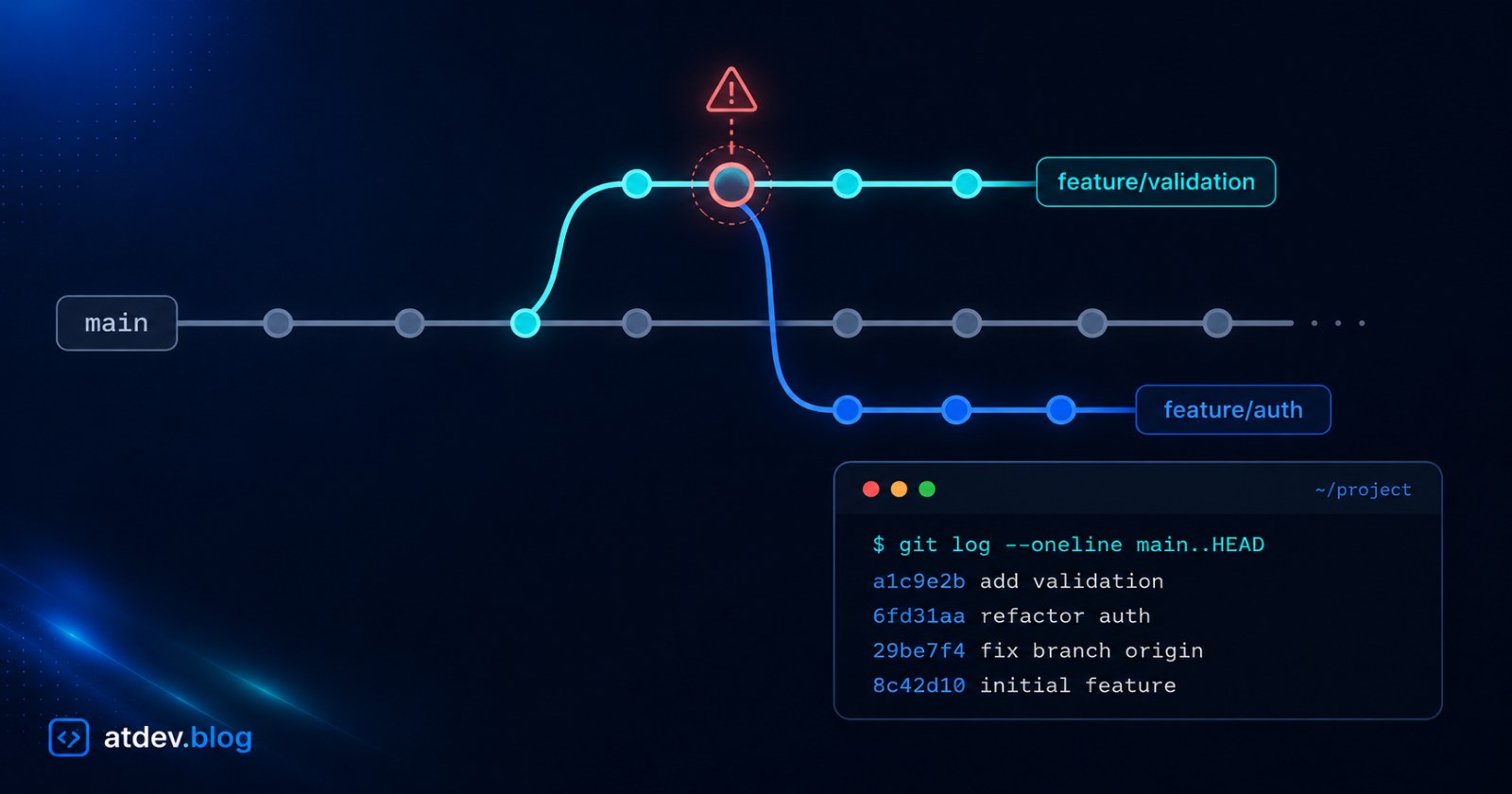
Created a Git Branch From the Wrong Branch? How to Fix It
Ran git checkout -b while standing on another branch and now your new branch carries unmerged code? Here's how to detect and clean a Git branch created from the wrong base before you open a PR.
You start a new task, run git checkout -b feature/ODOO-375, do the work, and open a PR against main. Then a reviewer pings you: "Why does this PR contain code from another ticket?" This is the classic wrong-base branch mistake — one of the most common traps when juggling parallel branches, and thankfully one of the easiest to clean up once you spot it.
This post captures exactly what happened with our ODOO-375 branch, with two fixes and a comparison table so you can pick the right one.
Why does the branch carry another task's code?
In Git, git checkout -b <branch> creates a new branch from wherever you currently are — not always from main.
You meant to branch off main, but if you were standing on another unmerged feature branch (a colleague's, or your own previous task), the new branch inherits every commit from that branch.
What happens when you open a PR into main:
The PR mixes in code from an unrelated ticket → the reviewer sees two tasks tangled together.
If the PR gets merged, you accidentally drag unreviewed code from the other task into
main.
Catching this before the PR is the cheapest fix. Here's how to detect it.
How to detect a wrong-base branch
Run a single command — it lists exactly the commits your PR will bring into main:
git log --oneline main..HEAD
How to read it: main..HEAD means "commits that are on the current branch but not yet on main." If you see commits from another ticket (not your task) sitting below your own commits, the branch was cut from the wrong base.
Find the "cut point": it's the last commit of the other branch, i.e. the one right before your first commit. Note this hash — you'll need it for Fix 1.
Want to rehearse the rebase/cherry-pick commands below without risking a real repo? Try the Git Playground — simulate commits, branches, and merges right in the browser.
Fix 1 — Rebase in place (keep the branch name)
Best when you've already pushed the branch / opened a PR and want to keep that PR, just cleaned up.
git branch backup/<branch-name>          # safety anchor, run BEFORE rebasing
git rebase --onto main <cut-point>       # lift your commits onto main
git log --oneline main..HEAD             # VERIFY: only your task's commits remain
git push --force-with-lease origin <branch-name>
Step by step:
git rebase --onto main <cut-point>: takes every commit after<cut-point>(your code) and replays it on top ofmain; the other branch's code is left behind.Because rebase creates new commit hashes, the push must use
--force-with-lease— a force with a safety catch that won't overwrite commits someone else pushed to the shared branch.If the verify step looks off:
git reset --hard backup/<branch-name>restores the original state.Once done, delete the backup:
git branch -D backup/<branch-name>.
Fix 2 — New branch from main + cherry-pick (no force needed)
Best when you haven't pushed yet, or you want a spotless branch and would rather avoid force-pushing.
git checkout main
git pull                                 # get the latest main
git checkout -b <new-branch-name>        # new branch, cut correctly from main
git cherry-pick <hash1> <hash2>          # copy your commits (oldest → newest)
git log --oneline main..HEAD             # VERIFY: only your task's commits remain
git push origin <new-branch-name>        # plain push, NO force needed
Explanation:
git cherry-pick <hash>: applies exactly that commit's change onto the current branch. Cherry-pick in oldest → newest order so history reads correctly.A plain push works because this is a brand-new branch — you're not rewriting any existing branch's history.
After the new PR is confirmed good, delete the old branch (the one with mixed code) to avoid confusion:
git push origin --delete <old-branch-name>
git branch -D <old-branch-name>
Which one should you use?
Fix 1 — Rebase in place | Fix 2 — New branch + cherry-pick | |
|---|---|---|
Keep old branch / PR | ✅ Yes | ❌ New branch + PR |
Force-push | Required ( | Not needed |
Old branch | Cleaned automatically | Remains, delete manually |
Risk | Slightly higher (rewrites history) | Lower, safer |
When to use | Branch already pushed / PR open and you want to keep it; or you're the only one on the branch | Not pushed yet, want a spotless branch, or shared branch (avoid force-pushing over others' commits) |
Prevent it next time
Always return to
mainbefore branching:git checkout main && git pull, thengit checkout -b.Show the branch in your prompt so you never branch off the wrong base "on autopilot."
Make
git log --oneline main..HEADa habit right before opening a PR — two seconds to confirm the PR contains only your code.
Conclusion
A wrong-base Git branch sounds scary but is easy to clean: one git log --oneline main..HEAD to detect it, then either rebase --onto (keep the PR) or cherry-pick onto a fresh branch (safer). Always create a backup/ before rebasing, and verify before you force-push.
Next step: rehearse both commands in the Git Playground before running them on a real repo, so when it actually happens you fix it in seconds.