
Stop Prompting Claude the Wrong Way: Build Context Before Asking AI to Write
Most people use Claude wrong by typing short prompts and asking for better output later. Learn how to build context, writing style, workflows, and content standards for better AI results.
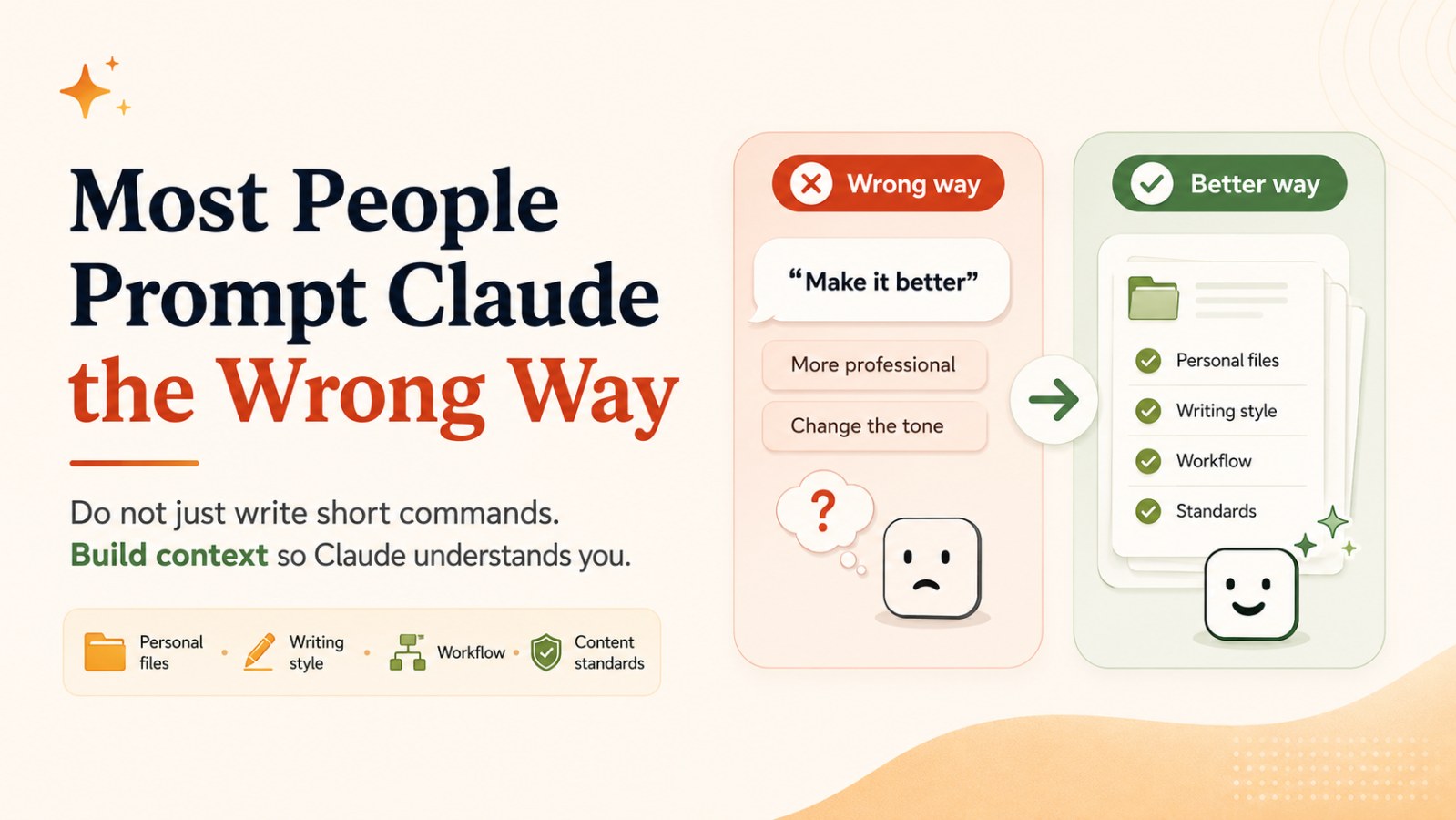
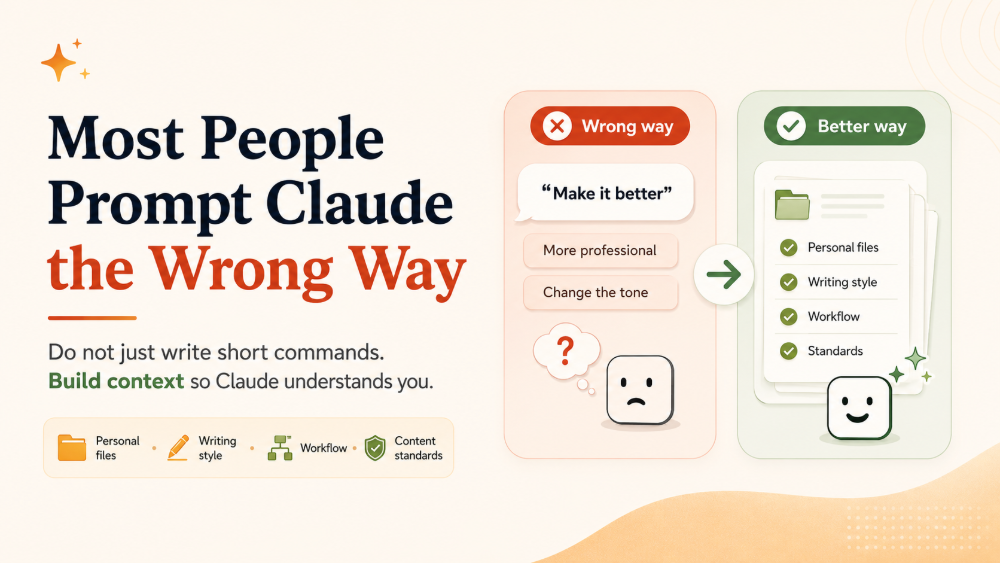
Most people are prompting Claude the wrong way.
They open Claude and type a short command like:
“Write me a LinkedIn post about AI.”
Then, when the result does not feel right, they keep asking:
“Make it better.”
“Make it more professional.”
“Change the tone.”
“Make it more engaging.”
“Make it sound more natural.”
The problem is simple: Claude cannot read your mind.
If you do not explain who you are, who you are writing for, what tone you want, what your content standards are, and what the final goal is, Claude can only produce an average result based on generic information.
The best Claude users do not just write prompts.
They build context.
They help Claude understand:
- Personal files
- Writing style
- Workflows
- Content standards
- Target audience
- Output goals
- What to do and what to avoid
When Claude understands who you are, the output changes completely.
This is the mindset most people still have not adopted when working with AI.
Why Short Prompts Usually Produce Average Output
A short prompt usually creates a generic output.
For example:
“Write a LinkedIn post about AI.”
This prompt is not wrong. It is just missing context.
Claude does not know:
- Who are you?
- Who are you writing for?
- What do you sell?
- Should the tone be expert, friendly, sharp, or controversial?
- Is the post meant for personal branding or lead generation?
- Do you prefer short punchy writing or long analytical writing?
- What kind of writing do you dislike?
- What should the reader do after reading?
Because the prompt lacks information, Claude has to guess.
And when AI has to guess too much, the output usually becomes average. It may be grammatically correct. It may sound fine. But it will not have personality, strategy, or your voice.
This is why many people feel that AI writing is “okay, but not quite right.”
The issue is not always Claude.
The issue is often the input.
Mistake 1: Giving One Short Command and Expecting a Perfect Result
Many people treat prompting like a magic sentence. They believe that if they write the perfect prompt, AI will produce the perfect result.
But a prompt is not magic. It is a work instruction.
If you hired a new team member and only said:
“Write something about AI.”
They would not know what you actually want.
They need a brief.
They need examples.
They need brand context.
They need to understand the audience.
They need quality standards.
Claude needs the same thing.
A short command can create a quick draft, but it is unlikely to produce something deep, strategic, on-brand, and aligned with your personal style.
Mistake 2: Using Impressive Prompts Without Real Context
Another common mistake is using prompts that sound sophisticated but still fail to provide useful context.
For example:
“Act as a world-class copywriter with 20 years of experience in B2B SaaS. Write like Paul Graham, Naval Ravikant, and Ogilvy.”
It sounds powerful. But it still misses one important thing: Claude does not know who you are.
Claude may imitate some general style patterns, but it does not automatically know:
- Your personal opinions
- Your real experience
- The projects you have worked on
- What you believe
- What you disagree with
- Your own stories
- How you usually reason
- The customers you want to serve
So “act as an expert” is only a surface-level instruction. It cannot replace real context.
Without personal data and content standards, the output may still sound like thousands of other AI-generated posts.
Mistake 3: Asking for Vague Revisions Like “Make It Better”
After receiving a result they do not like, many users ask:
“Make it better.”
“Make it more professional.”
“Change the tone.”
“Make it more engaging.”
“Make it sound premium.”
But these requests are too vague.
What does “better” mean?
- Shorter?
- Sharper?
- More examples?
- Less generic?
- Stronger voice?
- A better opening?
- Clearer CTA?
- Fewer abstract words?
If you do not define what “better” means, Claude will guess based on common patterns. The result may still miss the mark.
A better revision prompt would be:
“Rewrite this section to be 30% shorter. Make the opening more curiosity-driven. Remove generic sentences. Add a practical example about marketers using AI at work. Keep the tone professional but approachable.”
This gives Claude clear editing criteria.
The Right Mindset: Do Not Just Write Prompts, Build Context
Effective Claude users do not only ask better questions. They prepare better.
They do not treat Claude as a machine that generates text on command. They treat Claude like a collaborator that needs onboarding.
When you work with a new teammate, you do not just assign tasks immediately. You explain:
- What the company does
- Who the customers are
- What problem the product solves
- What the brand voice sounds like
- What kind of writing is acceptable
- What kind of writing should be avoided
- What the workflow looks like
- What the final output should achieve
Claude needs the same foundation.
Context is what helps Claude understand your working world.
When the context is strong, even a shorter prompt can produce better output. Without context, even a long prompt can still produce generic results.
What Should Your Claude Context Include?
To get better results from Claude, you should build a reusable context system. It can start simple, but the more you use Claude, the more useful this system becomes.
1. Personal Files
Personal files help Claude understand who you are.
You can create a file such as about-me.md or profile.md that includes:
- Who you are
- What field you work in
- Who you serve
- Your key experience
- What you believe
- What kind of content you dislike
- What personal brand you want to build
Example:
I am the founder of a company that provides AI automation solutions for small businesses.
I write for business owners, marketers, and operators.
I prefer clear, practical writing without exaggeration.
I want my content to help readers apply AI in daily work.
I dislike overhyped statements such as “AI will change everything overnight.”
Once Claude has this file, it no longer has to guess who you are.
2. Writing Style
Your writing style is especially important if you use Claude for content creation.
You can create a writing-style.md file that includes:
- Preferred sentence length
- Opening style
- Use of examples
- Tone of voice
- Words to use
- Words to avoid
- Common content structures
- Examples you like
- Examples you dislike
Example:
Writing style:
- Short, clear sentences with rhythm.
- Open with a strong insight or problem.
- Avoid openings like “In today’s fast-changing digital world...”
- Prefer practical examples over theory.
- Avoid too much jargon unless explained.
- Tone: professional, direct, easy to understand.
- End with a strong takeaway and a light CTA.
This is what helps Claude write more like you instead of sounding like a generic AI template.
3. Workflow
Good output does not only come from a good prompt. It also comes from a good process.
If you often write blog posts, create a workflow:
- Analyze the reader
- Identify the pain point
- Create the outline
- Write the draft
- Check SEO
- Improve examples
- Shorten long sentences
- Create the meta description
- Generate social posts
- Final review
You can ask Claude to follow this workflow every time.
Example:
When writing a blog post, always follow this workflow:
1. Identify the reader and search intent.
2. Create an H1/H2/H3 outline.
3. Write in a professional, easy-to-read style.
4. Add practical examples.
5. Optimize SEO naturally without keyword stuffing.
6. Create FAQ and meta description.
7. Suggest matching social posts.
Once the workflow is standardized, Claude is no longer just writing. It is helping you operate a content system.
4. Content Standards
Content standards tell Claude what “good” means.
If you only say:
“Write a high-quality article.”
Claude does not know what “high quality” means to you.
Define it more clearly:
A good article must:
- Have a clear insight.
- Avoid generic introductions.
- Make each H2 solve one specific idea.
- Include practical examples.
- Avoid repetition.
- Avoid overly long sentences.
- Include a final CTA.
- Include SEO FAQ.
- Help the reader know what to do next.
With this standard, Claude can review and improve its output based on your expectations.
A Better Claude Prompt Formula: Context → Task → Standard
A good prompt does not have to be extremely long. But it should include three key parts.
1. Context
Tell Claude the situation, reader, goal, and background.
Example:
“I am a marketer writing for small business founders who want to use AI to improve productivity.”
2. Task
Tell Claude exactly what to do.
Example:
“Write a LinkedIn post about why many people use AI incorrectly because they write prompts without building context.”
3. Standard
Tell Claude what the output should look like.
Example:
“The post should be 300–400 words. Use a strong opening, short sentences, a professional but approachable tone, one practical example, and a light CTA at the end.”
Complete prompt:
Context:
I am a marketer writing for small business founders who want to use AI to improve productivity.
Task:
Write a LinkedIn post about why many people use AI incorrectly because they write prompts without building context.
Standard:
The post should be 300–400 words. Use a strong opening. Keep sentences short. Use a professional but approachable tone. Include one practical example. Avoid generic phrases. End with a light CTA.
This is far stronger than:
“Write a LinkedIn post about AI.”
Example: Weak Prompt vs Strong Prompt
Weak Prompt
Write a LinkedIn post about AI.
This usually produces something generic.
Strong Prompt
I want to write a LinkedIn post for founders and marketers who are using AI but still getting weak output.
Main angle:
Most people are not bad at using AI because they lack tools. They struggle because they do not provide context.
Structure:
1. Open with the problem.
2. Explain why short prompts create average output.
3. Give examples of context: personal files, writing style, workflow, and content standards.
4. End with the mindset: do not just write prompts, build a context system.
Tone:
Professional, direct, easy to read.
Short sentences.
No hype.
No generic phrases.
Length: 350–450 words.
Now Claude has enough direction to create a much stronger post.
How to Build a “Context Operating System” for Claude
If you use Claude often, build your own context system. You can think of it as an “AI Context OS.”
This system can include several files.
File 1: About Me
Include:
- Who you are
- What you do
- Who your customers are
- Your experience
- Your professional point of view
- Your personal brand goals
File 2: Writing Style
Include:
- Your tone
- Opening style
- Closing style
- Words to use
- Words to avoid
- Examples of good writing
- Examples of bad-fit writing
File 3: Content Standards
Include:
- Blog standards
- LinkedIn post standards
- Email standards
- Landing page standards
- Quality checklist
File 4: Workflow
Include:
- Blog writing workflow
- Social post workflow
- Customer research workflow
- Competitor analysis workflow
- Campaign planning workflow
- Content review workflow
File 5: Audience
Include:
- Who the reader is
- What problems they face
- What they already know
- What they do not know yet
- What they fear
- What result they want
- What language fits them
When Claude has these files, you do not need to explain everything from scratch every time. Claude already has the background context to work better.
Claude Works Best When You Stop Making It Guess
One powerful way to use Claude is to ask it to interview you before writing.
Instead of saying:
“Write this for me.”
Try this:
I want to write about this topic.
Before writing, ask me the necessary questions to clarify:
- Target audience
- Content goal
- Main angle
- Tone of voice
- Publishing channel
- Length
- CTA
- What to avoid
After I answer, then start writing.
This changes the quality of the output.
You are no longer forcing Claude to guess.
You are letting Claude help you clarify the brief.
Even if you do not know exactly what you want yet, Claude can guide you toward a clearer direction.
Do Not Use Claude as a Writing Machine. Use It as a Strategic Collaborator
If you only use Claude to write faster, you are capturing only a small part of its value.
Claude can help you:
- Clarify ideas
- Analyze the audience
- Find content angles
- Create outlines
- Ask critical questions
- Review drafts
- Standardize tone
- Build content systems
- Turn one idea into multiple content formats
For example, instead of asking:
“Write a blog post about AI.”
Ask:
I want to build a content cluster about AI productivity for small business founders.
Suggest:
1. 5 content pillars
2. 20 blog topics
3. 10 LinkedIn post ideas
4. 5 newsletter ideas
5. 3 landing page angles
6. A voice and tone standard for the full content cluster
This turns Claude from a text generator into a content strategy partner.
Claude Prompt Checklist
Before sending a prompt to Claude, ask yourself:
- Does Claude know who I am?
- Does Claude know who the reader is?
- Does Claude know the goal of the output?
- Does Claude have examples or background material?
- Does Claude know the tone of voice?
- Does Claude know the output format?
- Does Claude know what to avoid?
- Does Claude know the quality standard?
- Should Claude ask me questions before starting?
If the answer to many of these is “no,” your prompt is missing context.
Conclusion: Better Output Comes from Clear Context, Not Short Commands
Claude cannot read your mind.
If you give it a short command, it will return a generic result. If you keep asking it to “make it better,” “make it more professional,” or “change the tone” without defining what those words mean, Claude still has to guess.
The best Claude users do not just write prompts. They build context.
They have personal files.
They have writing style guides.
They have workflows.
They have content standards.
They have clear briefs.
They let Claude ask questions before it starts.
That is the new mindset for working with AI.
Do not just give Claude a command.
Give Claude a system for understanding you.
When Claude knows who you are, who you write for, and what standard the output must meet, the result changes completely.
CTA
If you use Claude every day but still feel the output is not quite right, do not rush to switch tools. Start by creating three simple files: about-me.md, writing-style.md, and content-standards.md. Use them as context before asking Claude to write. You will quickly see the difference in output quality.
FAQ 1: Why does Claude give generic answers?
Claude often gives generic answers when the prompt lacks context. If you do not explain your audience, goal, tone, background, examples, and output standards, Claude has to guess what you want.
FAQ 2: What is the best way to prompt Claude?
The best way to prompt Claude is to include three parts: context, task, and standard. Tell Claude the situation, what you want it to do, and what quality or format the output should follow.
FAQ 3: How can I make Claude write more like me?
To make Claude write more like you, provide a writing style file with your preferred tone, sentence structure, examples, words to use, words to avoid, and examples of writing you like or dislike.
FAQ 4: What kind of context should I give Claude?
Useful context includes personal background, audience description, brand voice, writing style, workflow, examples, content standards, project goals, and things Claude should avoid.
FAQ 5: Should I ask Claude to ask questions before writing?
Yes. Asking Claude to ask clarifying questions before writing can significantly improve output quality because it helps turn a vague idea into a clearer brief.
FAQ 6: Is prompt engineering still useful if I build context?
Yes. Prompt engineering is still useful, but context makes prompts more effective. A good prompt tells Claude what to do, while strong context helps Claude understand how to do it in your style and for your goals.