
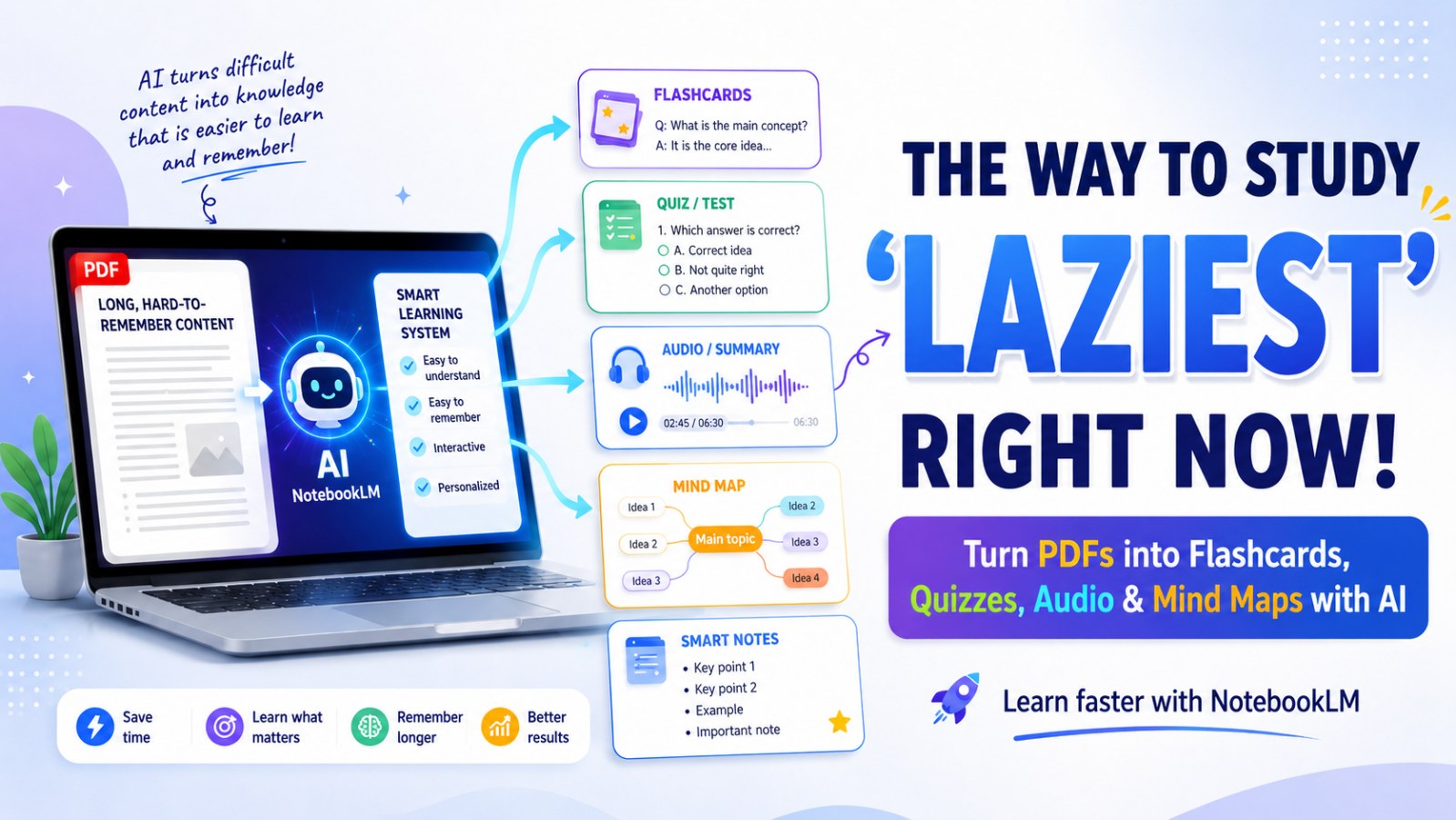
The Laziest Way to Study: Turn Any PDF Into a Learning System with NotebookLM
Learn how to use NotebookLM to turn a boring PDF into flashcards, quizzes, audio summaries, mind maps, and a simple 30-minute study plan.

Most people still study the hard way.
They open a six-hour course, try to watch everything, take a few notes, and forget half of it shortly after.
The problem is not always laziness. The problem is passive learning.
You read.
You listen.
You highlight.
But you do not actively interact with the material.
That is why NotebookLM has become one of the most useful AI learning tools today. Instead of simply summarizing a document, NotebookLM can help you turn a PDF, lecture note, YouTube transcript, article, or course material into a structured study system with explanations, review questions, flashcards, quizzes, audio, mind maps, and learning plans.
In simple terms, you are no longer just reading a document. You are turning it into a complete study session.
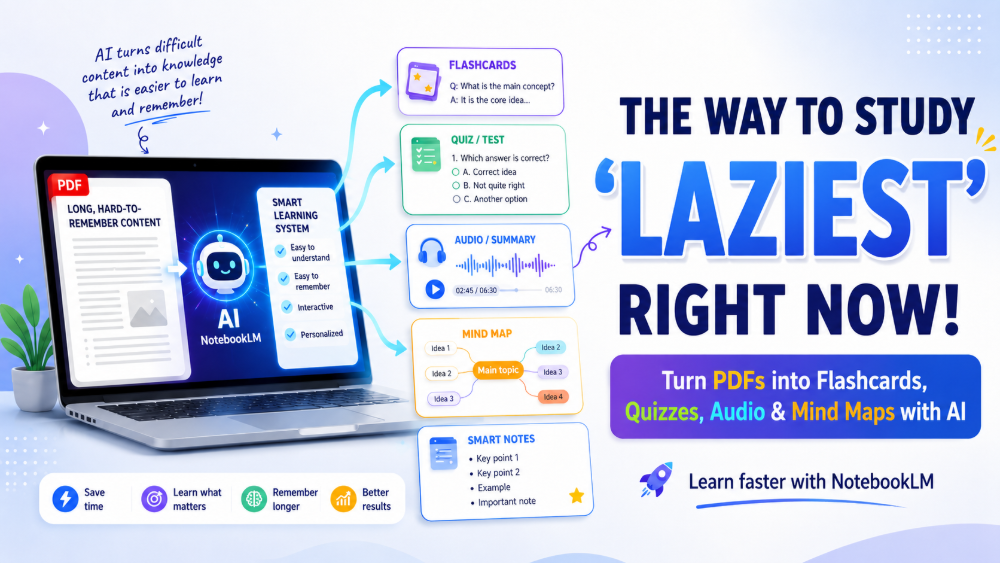
NotebookLM Is No Longer Just a PDF Summarizer
Many people still think of NotebookLM as a PDF summary tool. But it has grown into something much more useful for learning, research, and knowledge organization.
According to Google Help, NotebookLM can work with sources such as PDFs, websites, YouTube videos, audio files, Google Docs, and Google Slides. It can also help users ask questions based on their sources and transform those sources into easier-to-understand formats such as study guides, briefings, audio overviews, mind maps, and more.
Google Help also lists learning features such as Audio Overviews, Video Overviews, Mind Maps, Flashcards, Quizzes, Infographics, and Slide Decks.
That means one boring document can become:
- Flashcards for memorization
- Quizzes for self-testing
- Audio Overviews for listening
- Mind Maps for seeing the big picture
- Video Overviews for visual explanation
- Infographics or Slide Decks for presentation
- Learning Guides or study plans for structured learning
This is the real difference: NotebookLM does not just help you read faster. It helps you learn more actively.
What Should You Upload First?
You do not need to start with a huge folder of materials. In fact, the simpler your source, the better your result.
You can upload:
- A PDF file
- Lecture notes
- A YouTube transcript
- A long article
- A book chapter
- A course lesson
- A saved research document
The key rule is simple: start with one clear source.
Do not upload 20 random files and ask NotebookLM to “teach me everything.” When your input is messy, the output usually becomes messy too. A focused topic works much better than a chaotic folder.
For example, if you are learning marketing, do not upload documents about SEO, branding, paid ads, content strategy, and email marketing all at once. Start with one topic, such as “SEO basics for beginners.” Once you understand that well, you can add the next source.
Step 1: Create a New Notebook and Ask for a Simple Explanation
Create a new notebook in NotebookLM and upload your PDF or notes.
Then, instead of asking for a basic summary, use a learning-focused prompt:
“Explain this content as if I am learning it for the first time. Focus only on what I need to understand. Do not summarize everything. Teach me the parts that actually matter.”
This prompt works because it pushes NotebookLM to do more than shorten the content. It asks the tool to identify what is truly important for understanding.
A summary tells you what the document says.
An explanation helps you understand what it means.
That difference matters.
Step 2: Turn Reading Into Active Learning
After you get the first explanation, the next step is to turn the material into a study plan.
Use this prompt:
“Create a study plan from this document. Include:
- The key ideas I need to understand
- The best order to study them
- Common mistakes learners make
- Practice questions
- A 30-minute study plan”
Now you are no longer just reading. You have a learning path.
A good study plan tells you what to study first, what to review later, which concepts are foundational, which ideas are commonly misunderstood, and how to test yourself.
The 30-minute format is especially useful for busy learners. You do not need to wait until you have three free hours. One focused 30-minute session is enough to make real progress.
Step 3: Use Flashcards, Quizzes, Mind Maps, and Audio Overviews
NotebookLM includes several built-in learning tools. You do not need to use all of them every time. The goal is to choose the format that fits the way you learn.
Use Flashcards to Remember
Flashcards are useful when you need to remember terms, definitions, formulas, dates, or key ideas. Google Help explains that Flashcards and Quizzes can turn source material into interactive study aids, with options to customize difficulty and add prompts.
Use flashcards when you want to quickly test yourself:
- What does this term mean?
- What is the main idea of this section?
- What example explains this concept best?
- What is the difference between these two ideas?
Use Quizzes to Check Understanding
Quizzes help you find out whether you actually understand the material or only feel like you do.
This is important because reading often creates a false sense of understanding. You may recognize the information on the page, but struggle when you have to explain or apply it.
Use quizzes after reading the explanation and reviewing flashcards. If you answer incorrectly, ask NotebookLM to explain the idea again in simpler language.
Use Mind Maps to See the Big Picture
Mind Maps in NotebookLM visually summarize uploaded sources by showing main topics and related ideas in a branching structure. Google Help describes them as useful for getting a quick overview, connecting ideas, and organizing information more clearly.
Mind maps are especially useful when you are studying a long chapter, a complex report, or a topic with many connected parts.
Use Audio Overview When You Are Tired of Reading
Audio Overview turns your source material into an audio discussion between AI hosts, summarizing the key topics in your uploaded sources.
This is useful when you do not want to stare at a screen for too long. You can listen while:
- Walking
- Cleaning
- Commuting
- Resting
- Reviewing before an exam
- Preparing for a presentation
The benefit is simple: you are meeting the same content in another format. When you read, listen, answer questions, and view a mind map, your brain gets more chances to connect and remember the material.
Step 4: Let NotebookLM Test You One Question at a Time
This is the step most people skip, but it may be the most powerful one.
After studying the main content, use this prompt:
“Quiz me on this document. Ask only one question at a time. If I answer incorrectly, explain it in very simple language. Then ask a slightly harder question. Do not move to another section until I understand.”
This turns NotebookLM into a personal study coach.
Instead of reading and hoping you understand, you have to answer. If you are wrong, you get corrected. If you are right, the next question can become slightly more difficult.
That is active learning.
Step 5: Turn Your Document Into Audio for Easier Review
Some days, you simply do not have the energy to read another long document.
That is when Audio Overview becomes useful.
You can use it to review what you have already studied. However, audio should not completely replace active learning. The best approach is to use it as an extra review layer.
A practical workflow could look like this:
- Read the simple explanation
- Take a quiz
- View the mind map
- Listen to the Audio Overview
- Ask follow-up questions about anything unclear
This keeps you from depending on only one learning style.
A Complete NotebookLM Study Workflow
To turn a PDF into a real study session, use this workflow:
- Upload one clear source
- Ask NotebookLM for a simple explanation
- Create a 30-minute study plan
- Generate flashcards
- Take a quiz
- Review the mind map
- Listen to the Audio Overview
- Ask follow-up questions
- Ask NotebookLM to quiz you one question at a time
- Add another source only after you understand the first one
This is the “lazy” way to study in the best sense. You are not trying to do every heavy task manually. You are using AI to reduce the most tiring parts: summarizing, organizing, questioning, and creating review materials.
But you still do the most important part: thinking, answering, checking, and understanding.
Common Mistakes When Studying with NotebookLM
The biggest mistake is uploading too many files at once and asking NotebookLM to teach everything.
For example:
“I uploaded 20 documents. Teach me all of them.”
This sounds efficient, but it usually creates an output that is too broad and difficult to study.
Instead, learn in small cycles:
- One topic
- One document
- One learning goal
- One 30-minute session
- One round of self-testing
When your input is clear, NotebookLM can give you a clearer output. When your learning goal is specific, it is easier to know whether you truly understand the material.
Conclusion: Lazy Studying Does Not Mean Shallow Learning
The laziest way to study today is not about avoiding learning. It is about removing unnecessary friction.
Instead of watching a six-hour course and forgetting most of it, you can upload one document into NotebookLM and turn it into a learning system with simple explanations, study plans, flashcards, quizzes, mind maps, and audio reviews.
NotebookLM does not learn for you. But it can make the learning process much easier to start and much easier to finish.
If you have a boring PDF sitting on your computer, turn it into a 30-minute study session. You may realize that the problem was not your ability to learn. The problem was that you did not have a system simple enough to begin.
CTA
Upload one document to NotebookLM today, use the prompts in this guide, and start with a focused 30-minute study session. Study less passively, understand more deeply.