
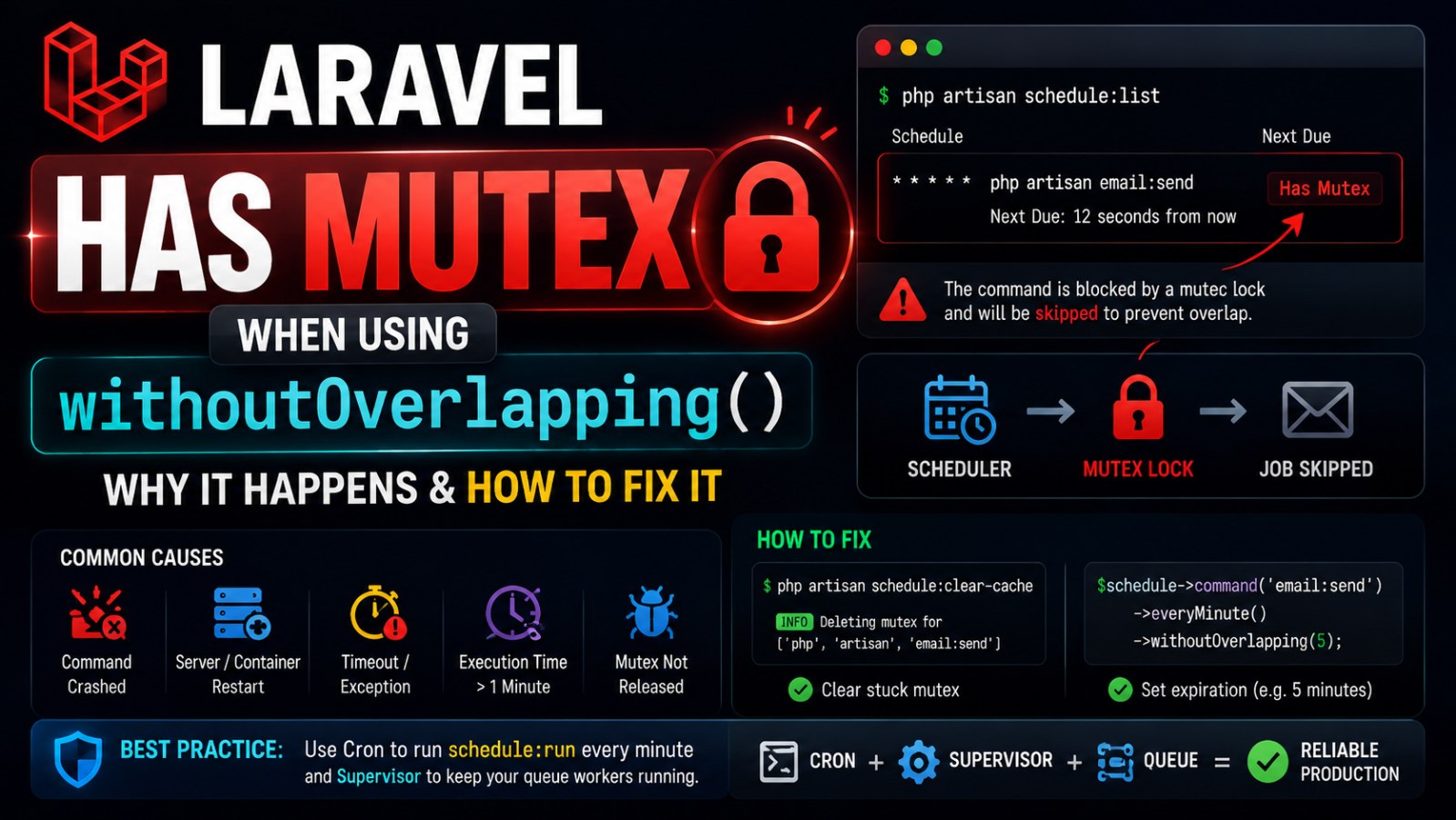
Laravel Scheduler Has Mutex Explained (withoutOverlapping Fix)
Laravel shows “Has Mutex” when using withoutOverlapping? Learn why locks happen and how to fix Laravel Scheduler correctly.
In Laravel Kernel, we define a scheduler like this:
$schedule->command('email:send')
    ->everyMinute()
    ->withoutOverlapping();
When checking scheduler on the server:
docker exec -it -w /var/www/html bus-system php artisan schedule:listResult:
* * * * * php artisan email:send Has Mutex › Next Due: 12 seconds from nowThe command email:send does not automatically run again, but when executed manually it still works:
docker exec -it -w /var/www/html bus-system php artisan email:send2. Root Cause
withoutOverlapping() in Laravel Scheduler creates a mutex/lock to prevent a command from running multiple times concurrently.
Example flow:
11:10:00 scheduler runs email:send
Laravel creates lock: email:send is running

11:11:00 scheduler runs again
Laravel detects existing lock
=> skips execution to avoid overlap
Normally, after the command finishes, Laravel automatically removes the lock.
However, when you see:
Has Mutexit means the lock still exists.
Common causes
Command was killed during execution.
Container or server restarted while command was running.
Command execution exceeds scheduler interval (e.g. > 1 minute for
everyMinute()).Timeout or exception before Laravel releases the lock.
Mutex not properly released due to runtime crash.
Important note
withoutOverlapping()has a default expiration time of 1440 minutes (24 hours).If the command crashes, the lock may remain until:
TTL expires, or
It is manually cleared
3. Temporary Fix
Clear stuck mutex:
docker exec -it -w /var/www/html bus-system php artisan schedule:clear-cacheIf successful:
INFO Deleting mutex for ['/usr/local/bin/php' 'artisan' email:send].Then test the scheduler again:
docker exec -it -w /var/www/html bus-system php artisan schedule:run -vvv4. Long-term Solution
4.1 Set expiration for withoutOverlapping
$schedule->command('email:send')
    ->everyMinute()
    ->withoutOverlapping(5);
Meaning:
If the command gets stuck, Laravel will allow it to run again after 5 minutes.4.2 Recommended configuration
->withoutOverlapping(5);   // fast jobs
->withoutOverlapping(10);  // medium jobs
->withoutOverlapping(30);  // heavy processing jobs
⚠️ Notes:
Too small value → risk of real overlap
Too large value → scheduler may appear stuck during failure
5. Important: schedule:list does NOT mean scheduler is running
Command:
php artisan schedule:listOnly shows scheduled definitions.
It does NOT guarantee the scheduler is actually running on the server.
How to verify scheduler execution
Cron setup:
* * * * * php artisan schedule:runScheduler runs only when cron triggers it every minute.
Check running process (Docker):
docker exec -it bus-system ps aux | grep scheduleor:
docker exec -it bus-system ps aux | grep artisan⚠️ Note:schedule:run is very short-lived, so it may not always appear in process list.
Production recommendation
Use cron or supervisor to ensure scheduler runs every minute
Avoid using
-itin cronAdd logging for debugging
Example:
* * * * * docker exec -w /var/www/html bus-system php artisan schedule:run >> /var/log/scheduler.log 2>&16. Conclusion
Has Mutex is not a queue issue and not a Laravel bug.
It is a safety mechanism of:
withoutOverlapping()Purpose:
Prevent the same command from running concurrently.
When issues happen:
Command crash
Container restart
Process killed
Timeout
→ mutex may remain and cause scheduler to skip execution.
Fix:
php artisan schedule:clear-cacheThen consider updating:
$schedule->command('email:send')
    ->everyMinute()
    ->withoutOverlapping(5);
and ensure scheduler is running properly via cron or supervisor.
👉 If you haven’t properly set up a production-ready Laravel environment, you should check this guide to avoid scheduler and queue issues:
🔗 Laravel Server Setup: Cron + Supervisor + Queue
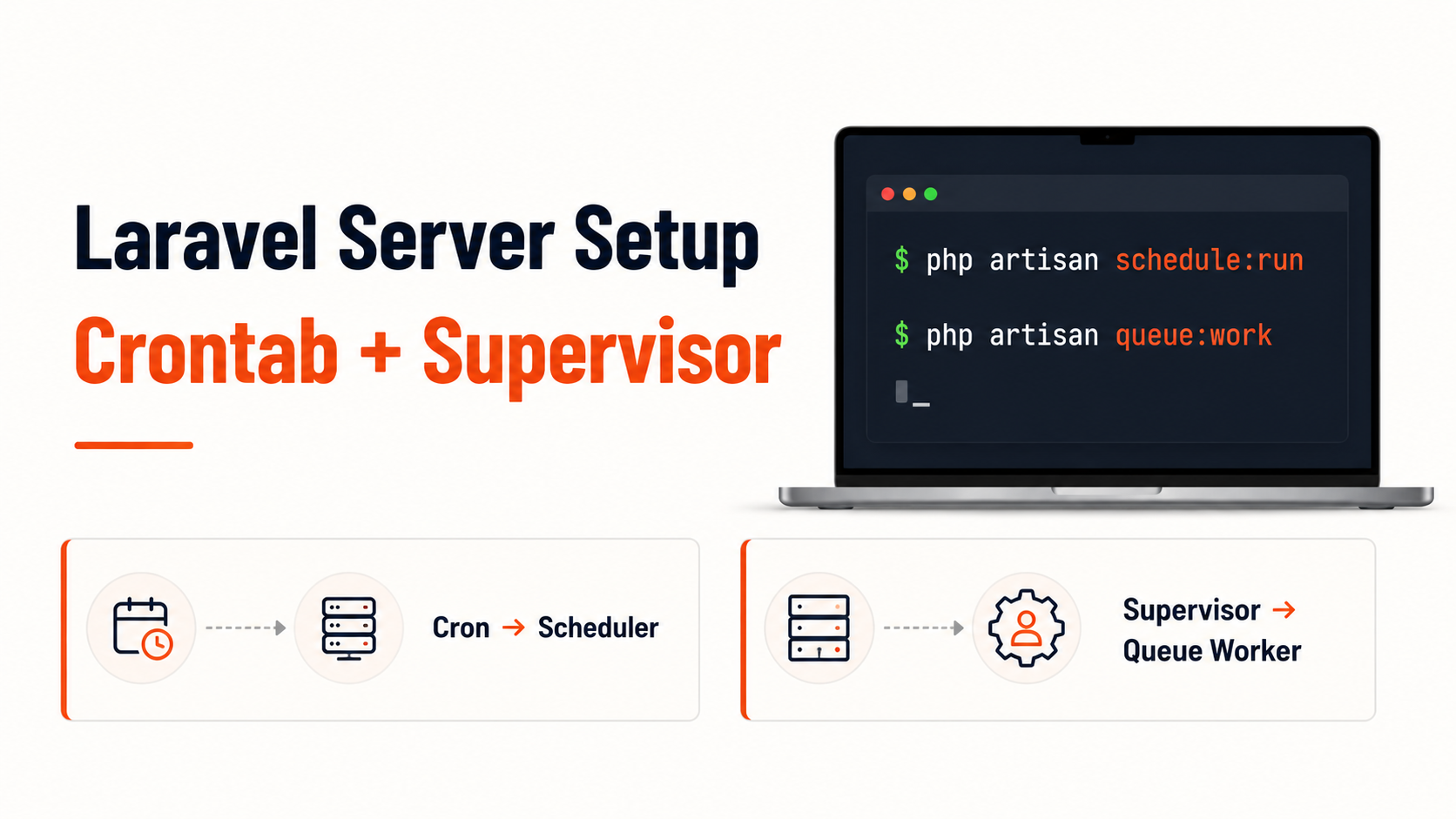
In this article, you will learn:
How to ensure
schedule:runexecutes reliably every minuteWhen and why to use Supervisor for queue workers
How to avoid silent job failures in production
Best practices for Laravel background job architecture