
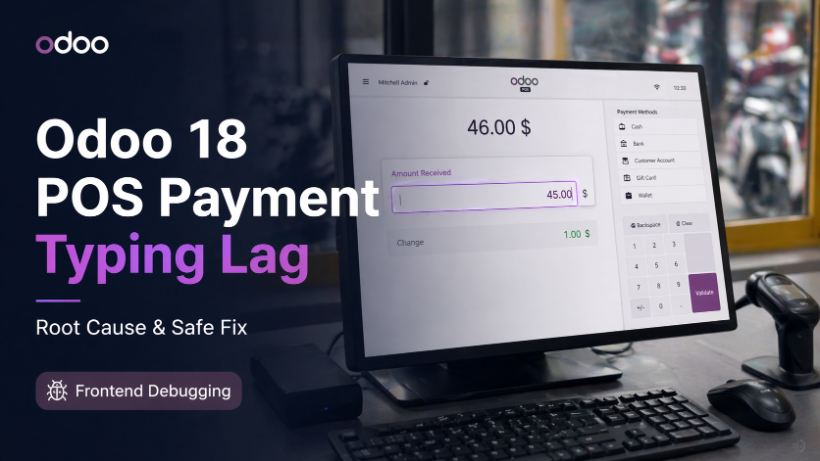
Odoo 18 POS Payment Screen Typing Lag: Root Cause and Safe Fix
Learn why Odoo 18 POS lags when cashiers type payment amounts quickly on the Payment Screen, and how to fix it safely with a small frontend patch.
Some POS issues do not crash the system, throw no visible error, and still hurt cashier productivity in a very real way. One of those issues is the payment amount typing lag on the Odoo 18 POS Payment Screen.
At first glance, this problem looks like a rendering delay, a slow currency formatter, or even weak hardware. But after digging deeper, the real cause turns out to be much more specific: the way Odoo core handles buffered numeric input on the frontend.
This article covers three things:
What the issue looks like in real-life POS usage
Why Odoo 18 POS lags when cashiers type amounts quickly
The safest way to optimize and fix it
The real-world symptom
A very common cashier workflow looks like this:
Order total: 46,000 VND
Customer pays: 50,000 VND
The cashier quickly types 50000 on the Payment Screen
The expected behavior is simple: the screen should immediately show 50,000.
However, in some Odoo 18 POS setups, the amount appears in visible steps:
500
then 5,000
then finally 50,000
The delay between those steps is noticeable enough that users feel the system is lagging, missing digits, or responding too slowly.
This is more than a cosmetic issue. In retail, pharmacy, and fast checkout environments, even a small delay repeated across many transactions can slow down the whole operation.
Why is this issue easy to misdiagnose
When developers first see this behavior, the usual suspects are:
heavy re-rendering
slow currency formatting
custom module interference
low-performance POS hardware
Those are reasonable assumptions, but they are not the core cause here.
The most important clue is that the number does not simply update late. Instead, it tends to appear in chunks. That pattern usually points to buffered input handling, not a normal rendering delay.
The root cause: Odoo 18 NumberBuffer behavior
In Odoo 18 POS, the Payment Screen relies on NumberBuffer to process numeric input.
The key detail is that the Payment Screen configures it with:
useWithBarcode: true
That single setting creates two important effects.
1. Input is processed with barcode-style timing
When useWithBarcode is enabled, NumberBuffer follows the barcode timing behavior instead of reacting immediately to each keypress.
In practice, that means:
Input is collected into a buffer
processing is delayed briefly
Keys typed very quickly may be grouped together
That behavior makes sense for barcode input, but it is not ideal for a cashier manually typing payment amounts.
2. Fast input can be displayed in delayed chunks
When multiple key events arrive too quickly within the same timing window, the UI may not reflect them one by one in real time.
That is why users see:
delayed amount updates
step-by-step jumps
a feeling that the system is “eating” digits
Even when the logic eventually updates the payment line, the user experience is already degraded.
Why does this matter specifically on the Payment Screen
The Payment Screen is not the same as the Product Screen.
On the Product Screen:
Barcode scanning is a primary use case
Barcode-style timing is acceptable and often necessary
On the Payment Screen:
The main task is fast manual amount entry
Users need instant feedback
Every keystroke should be visible right away
Applying barcode-oriented buffering to the payment amount field creates friction in a place where speed and responsiveness matter the most.
The safest fix
Instead of rewriting the entire service or touching backend logic, the safest approach is to patch only the Payment Screen and override _getNumberBufferConfig so that:
useWithBarcode: false
With that small change:
Manual amount typing is no longer handled with barcode timing
Each key is processed much more immediately
The stepping effect is removed or significantly reduced
The scope of change stays very limited
Why this fix is the best first option
This approach is usually the best first fix because it offers several advantages.
Small scope
It affects only the Payment Screen instead of changing POS-wide behavior.
Low risk
There is no database migration, no schema change, and no backend accounting impact.
Easy rollback
If needed, you can remove the patch module and restore the original core behavior.
Operationally safe
Tax calculation, payment methods, accounting entries, and order validation logic remain untouched.
When you should inspect custom modules too
Even if the core behavior explains the root cause, you should still inspect custom POS modules if your project includes them, especially anything that touches:
PaymentScreen
NumberBuffer
custom numpad logic
keydown or keyup listeners
custom currency formatting
popups or overlays affecting input
async logic triggered on amount updates
The core issue may be the starting point, but customizations can absolutely make the symptom worse.
Final thoughts
The Odoo 18 POS payment typing lag is not just a visual delay. It is a frontend input-handling problem caused by applying barcode-style buffering to a manual amount entry workflow.
If your POS shows symptoms like:
delayed amount updates
visible step-by-step number growth
cashier complaints about missing or slow key input
then this is one of the first places you should inspect before blaming the backend or the database.
In most cases, a small Payment Screen patch that disables useWithBarcode is the simplest, safest, and most effective optimization path.
Implementation tip: before rolling the fix into production, test it in staging with:
slow amount entry
very fast amount entry
multiple browsers or POS devices
That gives you confidence that the fix solves the input issue without introducing unwanted side effects.